Sampling a Spring: Driving Ableton Device Parameters from React Native's UI Thread
Knobbler turns a tablet into an auto-labeling, multitouch control surface for Ableton Live. A fader's position is usually just pixels: you drag, a number changes, a bar gets taller. But here that number has a second job. It has to leave the device as an OSC message and move a knob on an instrument or effect inside Live — at 60fps, with no lag a musician can feel.
That second job is what this post is about. Most React Native Reanimated writing stops at "smooth pixels." This is about what happens when the same animated value has to paint and transmit at the same time — and what falls out of that when you let go of the fader and a spring takes over.
The stack, up front so there are no surprises: Reanimated 4.3, React Native 0.83, React 19, the New Architecture. No Skia, no custom GPU shaders — this is worklets and the UI thread, not the GPU. In this post, I'll "UI thread" not "GPU" because that's what's actually true.
The throughline: the animated value in the UI thread is the source of truth, and the network send is a read-only sampler riding alongside it — never the other way around.
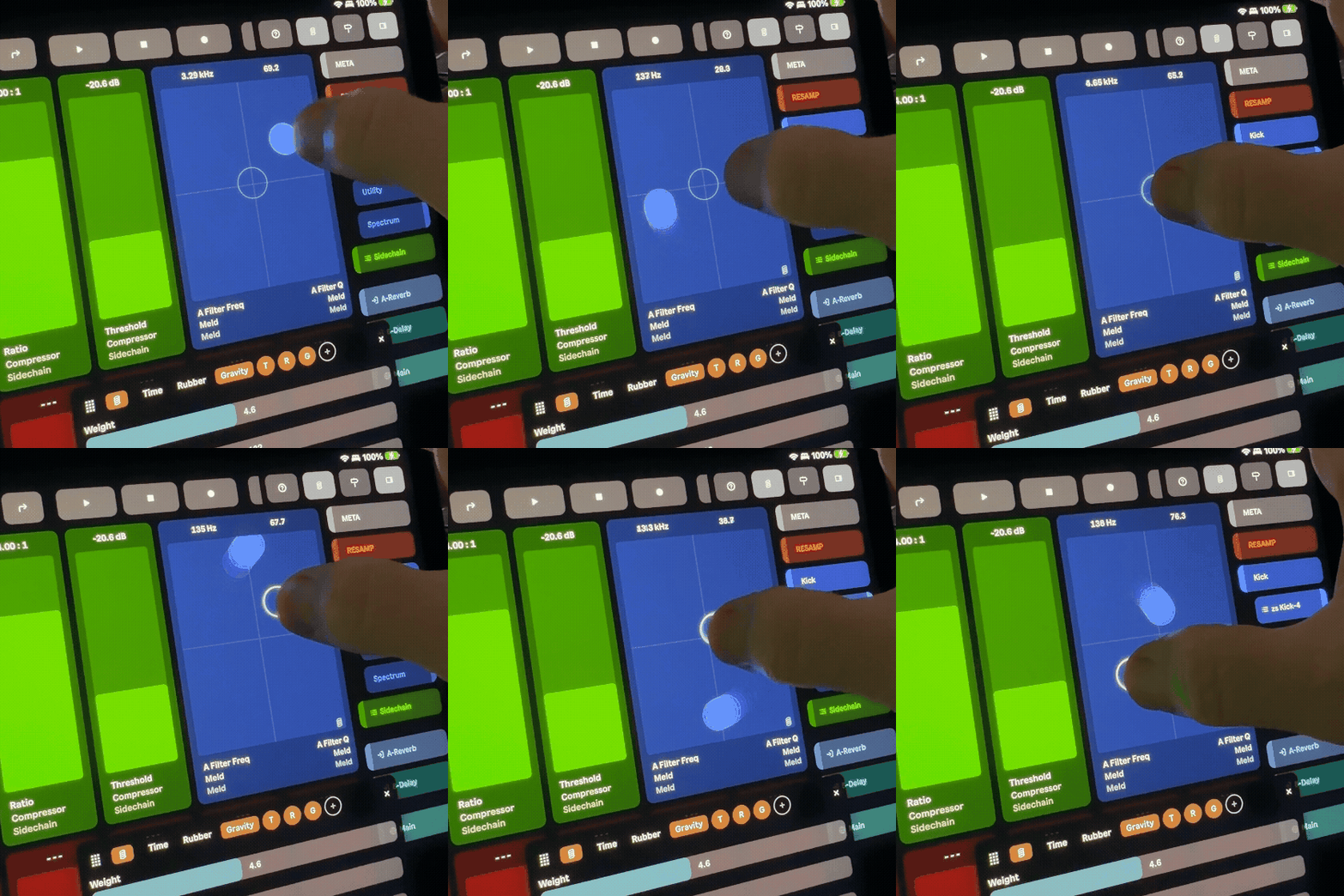
Why the JS thread can't own this
The classic React Native animation failure looks like this. A pan gesture fires onChange events; each one runs JavaScript to convert finger position into a parameter value; that value drives both the on-screen fill and the network send. It works in a demo. Then the JS thread does literally anything else for one frame — decodes an incoming OSC reply, runs a React render, garbage-collects — and the fader stutters behind your finger.
For a general app, a dropped frame is a blemish. For a fader a musician is using to ride a filter cutoff during a live set, it's disqualifying. It's a hard rule in this codebase:
Slider controls are high-precision tactile affordances for music professionals. Never add activation thresholds or anything that delays/degrades immediate response to touch input.
So the value cannot be computed on the JS thread during a gesture. It has to live on the UI thread, where the gesture and the render already are. The question is then: if the value lives on the UI thread, how does it become a network packet?
The standard half: visuals on the UI thread
Most of this is well-trodden Reanimated, so I'll be quick. The fader's position is a SharedValue. The finger-to-value math is a worklet, so it runs on the UI thread the moment the gesture handler fires — no round-trip to JS:
// the drag math is a worklet, so it runs on the UI threadfunction calculateValue( startY: number, curY: number, startValue: number, /* … */ effectiveHeight: number) { 'worklet' // convert pixel delta → 0..1 parameter value, with precision scaling}The slider height comes from applying useAnimatedStyle to the height of an element, also on the UI thread. And where multiple views have to scroll together — the mixer's channel strips — we deliberately don't call scrollTo(), because that floods the JS thread with native scroll events. We translate the follower content instead:
// follow the owner's scroll without flooding the JS threadconst followStyle = useAnimatedStyle(() => ({ transform: [{ translateY: -ownerScrollY.value }],}))None of this is novel. It's table stakes for smooth Reanimated. The interesting part is what we do with that same SharedValue.
The novel half: sampling the animated value as a control signal
Here's the move. The SharedValue is the source of truth for the fader. The network is a second consumer that rides alongside it — a read-only sampler, not the driver.
During a drag, a requestAnimationFrame loop reads the value once per frame and emits OSC:
// the drag-time samplerconst samplerRafRef = useRef<number | null>(null)
const startSampler = () => {  const tick = () => {    const v = point.value // read the UI-thread value    sendValue(v) // emit OSC for this frame    samplerRafRef.current = requestAnimationFrame(tick)  }  samplerRafRef.current = requestAnimationFrame(tick)}
const stopSampler = () => {  if (samplerRafRef.current != null) {    cancelAnimationFrame(samplerRafRef.current)    samplerRafRef.current = null  }}
The gesture handler — a worklet — writes point.value on the UI thread and brackets the sampler with runOnJS:
.onStart((event) => { // … startValue.value = point.value runOnJS(startSampler)() // begin sampling on the JS thread}).onChange((event) => { point.value = calculateValue(/* … */) // UI thread: paints immediately}).onEnd((event) => { runOnJS(stopSampler)() runOnJS(sendValue)(point.value) // final value runOnJS(handleGestureEnd)(event.velocityY)})The key separation, stated plainly: the value lives on the UI thread; the send is sampled from JS. The worklet's job is to keep point.value correct and the pixels smooth, frame by frame, no matter what the JS thread is doing. The sampler's job is to glance at that value once per frame and turn it into a packet. If the JS thread stutters and a sampler frame is late, the fader on screen doesn't care — it was already painted by the UI thread. We've decoupled "looks smooth" from "transmits".
That's the whole trick during a drag. It gets more interesting when you let go.
The hard part: release physics that outlive the component — and keep transmitting
With Knobbler's Experimental Spring Physics enabled, flick a fader and release. It should spring — settle back, or orbit a point of mass, depending on the configured physics. Three things have to be true at once:
- The spring runs on the UI thread (it's a Reanimated animation, so this is free).
- Its trajectory is sampled every frame and streamed as OSC, exactly like a drag — because Ableton needs to hear the spring, not just see it.
- It survives the component unmounting. Flick a fader, switch to another tab, and the parameter should keep springing in the background and keep sending OSC until it settles.
That third requirement is what makes this hard. The naive approach animates a SharedValue that a component owns — and the moment you navigate away and that component unmounts, the animation dies mid-flight and Ableton is left at whatever value it happened to be at.
The fix is to take the animation off the component entirely. The springs live in a store that nothing unmounts:
/** * Persistent release animation store. * * Owns store-level SharedValues (makeMutable) per address. Animations run on * the UI thread via withSpring/withTiming and are completely independent of * component lifecycle — no handoff needed on tab switch. * * A single global tick samples all active animations and sends changed values * as one batched OSC message, reducing UDP packet overhead. */
/** Store-owned SharedValues — persist across component mount/unmount. */const releasePoints = new Map<string, SharedValue<number>>()
makeMutable creates a SharedValue with no component attached. When the user releases a fader, we hand the current position and velocity to the store, and it starts the spring on that store-owned value:
function applyAnimation(point, target, velocity, config) { switch (config.mode) { case 'gravity': point.value = withSpring(target, { velocity, mass: config.gravMass, stiffness: config.gravStiffness, damping: config.gravDamping, }) break case 'rubberband': point.value = withSpring(target, { damping: config.rbDamping, stiffness: config.rbStiffness, }) break case 'time': point.value = withTiming(target, { duration: config.springDurationMs, easing: Easing.out(Easing.poly(config.springEasing)), }) break }}The component, while it's still mounted, just watches the store value with useAnimatedReaction and mirrors it into its local point — so the on-screen fader follows the spring perfectly, on the UI thread, every frame:
// mirror the store's spring into the local value, on the UI threaduseAnimatedReaction( () => (rampActive.value && releasePoint ? releasePoint.value : null), (val) => { if (val !== null) point.value = val })If the component unmounts, this reaction just goes away — but the spring in the store keeps running, because nothing it depends on has gone anywhere.
One global tick, one packet
Now the transmit side. Each active spring needs to be sampled and sent, just like a drag. But you might have several faders springing at once, and one UDP packet per fader per frame is wasteful. So instead of a per-component sampler, the store runs a single global tick that sweeps every active animation, dedupes, and sends one batched message:
/** Single global tick — samples all active animations, sends one batch. */function globalTick() {  globalTickId = null  const batch: Record<string, number> = {}  const settled: string[] = []
  // Suppress individual OscSend calls during batch — onSendValue callbacks  // update local state (dedup) but skip the actual UDP send.  if (suppressFn) suppressFn(true)
  for (const [address, entry] of activeEntries) {    const point = releasePoints.get(address)    if (!point) continue
    const v = point.value    const { min, max } = entry.params    const clamped = Math.min(max, Math.max(min, v))
    if (clamped !== entry.lastSent) {      entry.lastSent = clamped      entry.params.onSendValue(clamped)      batch[entry.params.oscAddress] = parseFloat(clamped.toFixed(3))    }
    // …settle detection (below)…    entry.prevValue = v  }
  if (suppressFn) suppressFn(false)
  // Send all changed values in one batch  if (Object.keys(batch).length > 0 && batchSendFn) {    batchSendFn(batch)  }
  manageGlobalTick()}
Two details worth calling out:
lastSentdedup. A settled spring sits at the same value frame after frame. We only put an address in the batch when its value actually changed, so a near-still spring costs nothing on the wire.suppressFn. The sameonSendValuecallback a drag uses also gets called here, and it would normally fire its own OSC send. We suppress that during the sweep so each value goes out exactly once — in the batch — instead of twice.
Knowing when to stop
A spring asymptotes; it never mathematically arrives. So we declare it settled when it's been within an epsilon of the target and barely moving, for a few frames in a row — then snap it home, send the exact target, and remove it:
const SETTLED_EPSILON = 0.0005const SETTLED_FRAMES = 3
const nearTarget = Math.abs(v - entry.target) < SETTLED_EPSILONconst barelyMoving = Math.abs(v - entry.prevValue) < SETTLED_EPSILONif (nearTarget && barelyMoving) {  entry.settledCount++  if (entry.settledCount >= SETTLED_FRAMES) {    point.value = entry.target    entry.params.onSendValue(entry.target)    batch[entry.params.oscAddress] = parseFloat(entry.target.toFixed(3))    settled.push(address)  }} else {  entry.settledCount = 0}
Why three frames and not one? Because a spring crosses its target on the way through. A single in-epsilon frame can be the apex of an overshoot, not the end — snap there and you'd cut the bounce off early and send Ableton a value the spring was about to leave. Requiring a few consecutive near-still frames waits for the motion to actually die.
Two subtleties that fall out of this design
Mid-flight retargeting. Because the spring lives in the store and is addressed by name, you can change its target while it's running. Long-press a springing fader and drag, and we just call:
export function retargetAnimation(address: string, newTarget: number) { const entry = activeEntries.get(address) if (!entry) return const point = releasePoints.get(address) if (!point) return entry.target = newTarget applyAnimation(point, newTarget, 0, entry.params.config) // smooth redirect}Reanimated transitions the spring to the new target from its current position with no discontinuity — and the global tick keeps sampling and sending throughout, so Ableton hears the redirect as one continuous gesture.
UDP economics. A drag is one fader, so its per-component sampler is fine. But release animations are the case where many parameters can be in motion at once. Collapsing all of them into one batched packet per frame is the difference between N×60 packets a second and 60.
The takeaway
Strip away the music and the generalizable idea is this: a UI-thread SharedValue is a real-time signal generator, not just a style input. Reanimated will happily run physically-plausible motion — springs, decay, easing — on the UI thread, smoothly, regardless of what your JS thread is doing. You don't have to use that motion only to move pixels. You can sample it, once per frame, and send it anywhere: OSC to a synth, MIDI, DMX to stage lights, servo targets to a robot, telemetry to a game server.
The trick in all of those is the same one as here: let the animation be the source of truth, treat the outbound send as a read-only sampler riding alongside it, and never make the thing that has to look smooth wait on the thing that has to transmit.